Windows companion v0.6.8
The desktop app, with tray access and optional floating views. The x64 installer is unsigned; updates are installed manually.
Download and release notesocelin Open source
A small tool I built to follow coding sessions, preview conversations and find earlier work without switching between apps.
v0.6.8 · Windows x64 · Unsigned preview
A little company while you code.
Animation preview · 11 moods
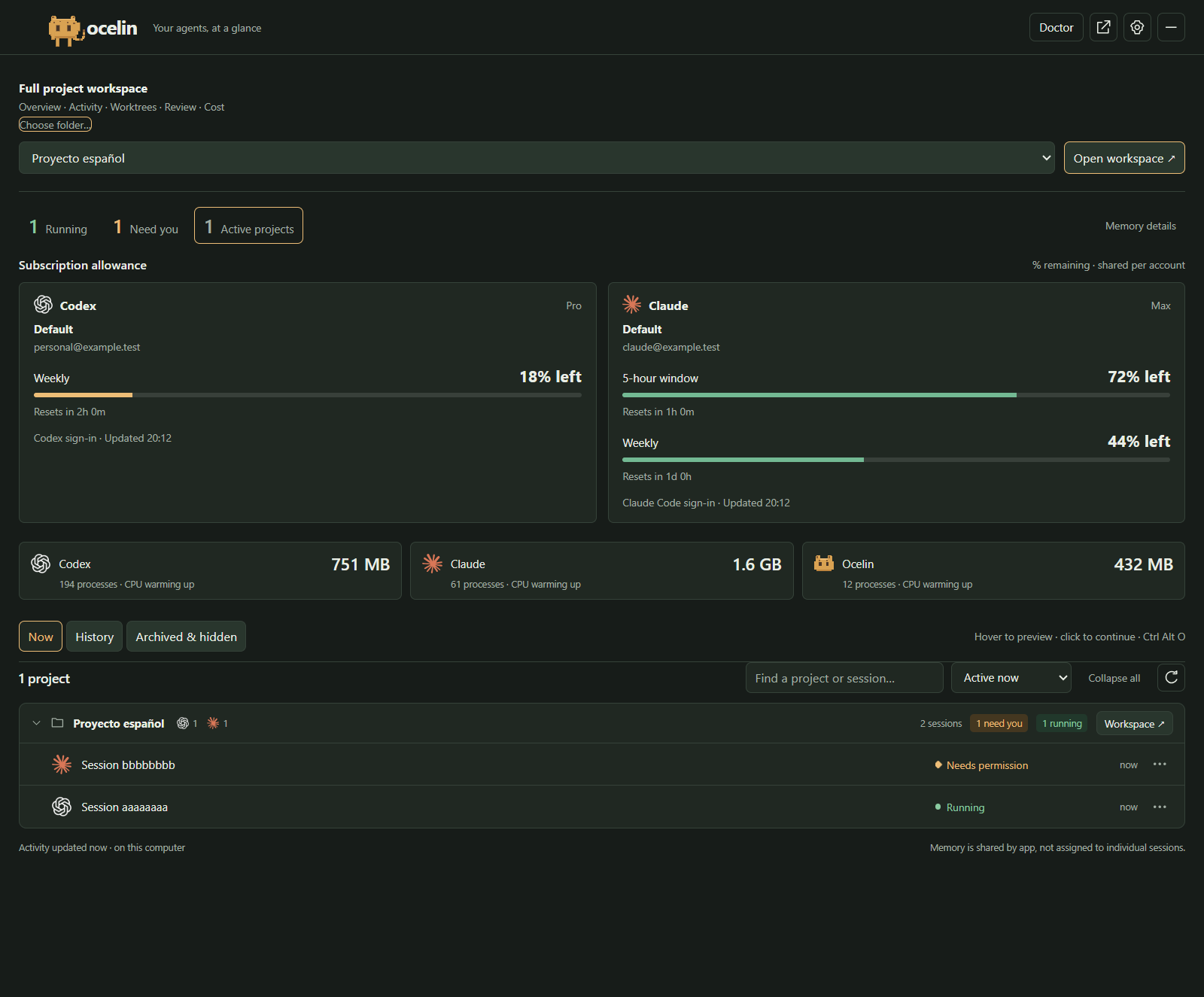
Codex and Claude sessions grouped by project, alongside subscription allowances and app memory. Open a conversation to return to its task.
View full-size image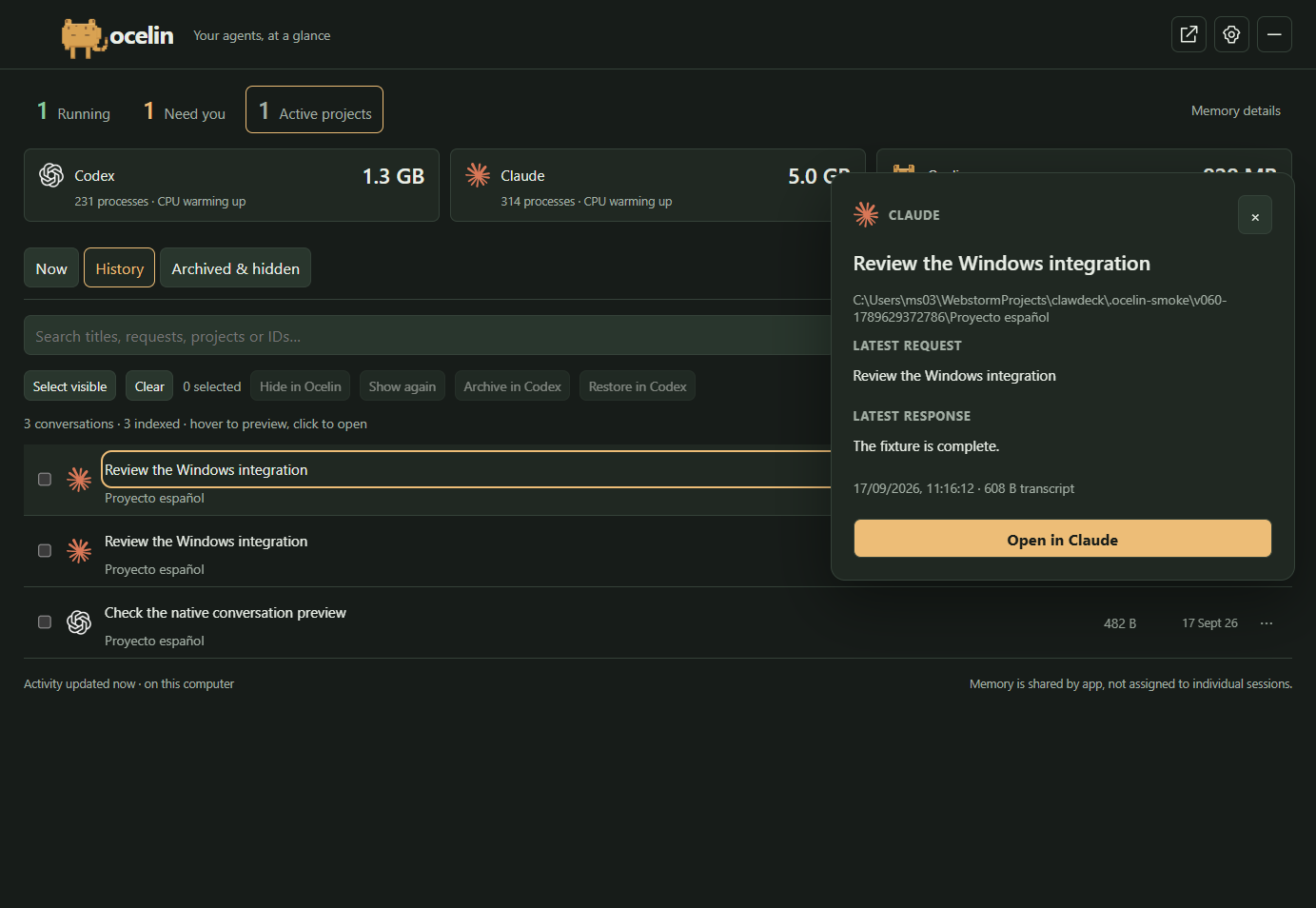
Search saved conversations and preview the latest request and response before reopening a task.
View full-size image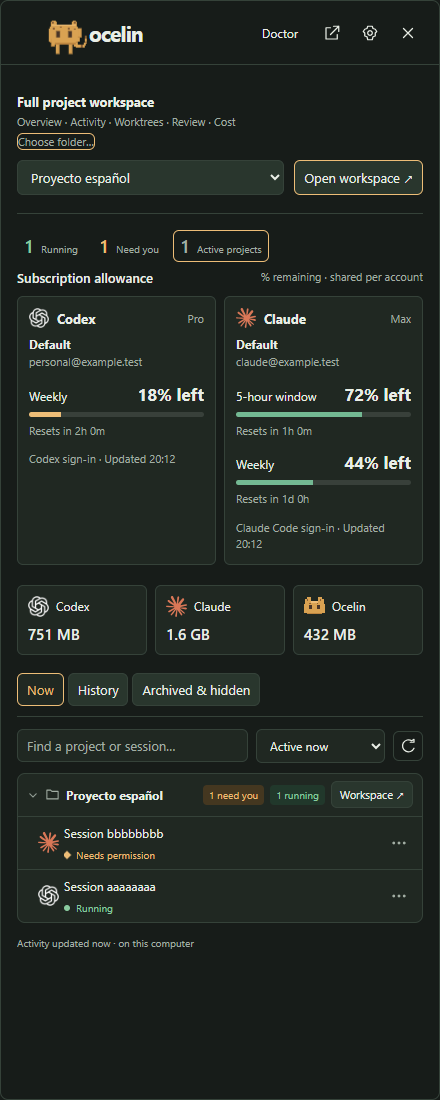
A sliding panel for sessions and allowances. Open it from the tray or with Ctrl + Alt + O. A floating bar is available too.
View full-size image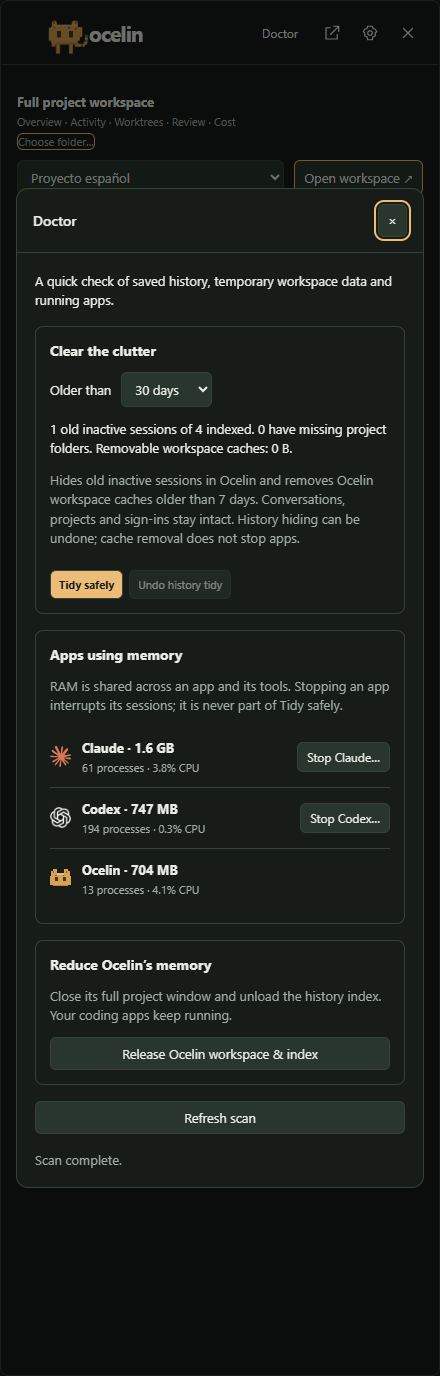
Hide inactive history with Undo, clear Ocelin workspace caches and inspect app memory. Stopping an app is a separate, explicit action.
View full-size imageScreenshots use sample conversations, accounts and allowances. Memory readings come from the capture machine.
Session monitoring reads local activity. No Ocelin account or API key is needed, and the browser server stays on localhost.
Inferred activity is labelled. Missing allowance readings stay unavailable, and a quiet session is not treated as a successful finish.
The optional Windows taskbar widget shows the animated pet, running sessions and remaining Codex and Claude allowance. Click it to open the session panel.
Taskbar setupTry it locally
Ocelin is a personal open-source project, still in preview. Setup instructions, changes and issue reports live on GitHub.
I originally published this project as clawdeck-panel on npm. It has since evolved into Ocelin, with its current source at m-sanchez/ocelin. The npm registry still carries the earlier release under the original package name.
This is a separate project from the Rails/OpenClaw application also called Clawdeck.
Subscription allowances use existing local Codex and Claude Code sign-ins, which may differ from accounts in other apps. Credentials stay in the background process. Claude’s usage endpoint is not a stable public API.
The optional inside-taskbar integration needs a separate host and uses private Windows APIs. WSL, remote sessions, Claude native archival and in-panel agent approvals are outside this preview.
Read the compatibility notes